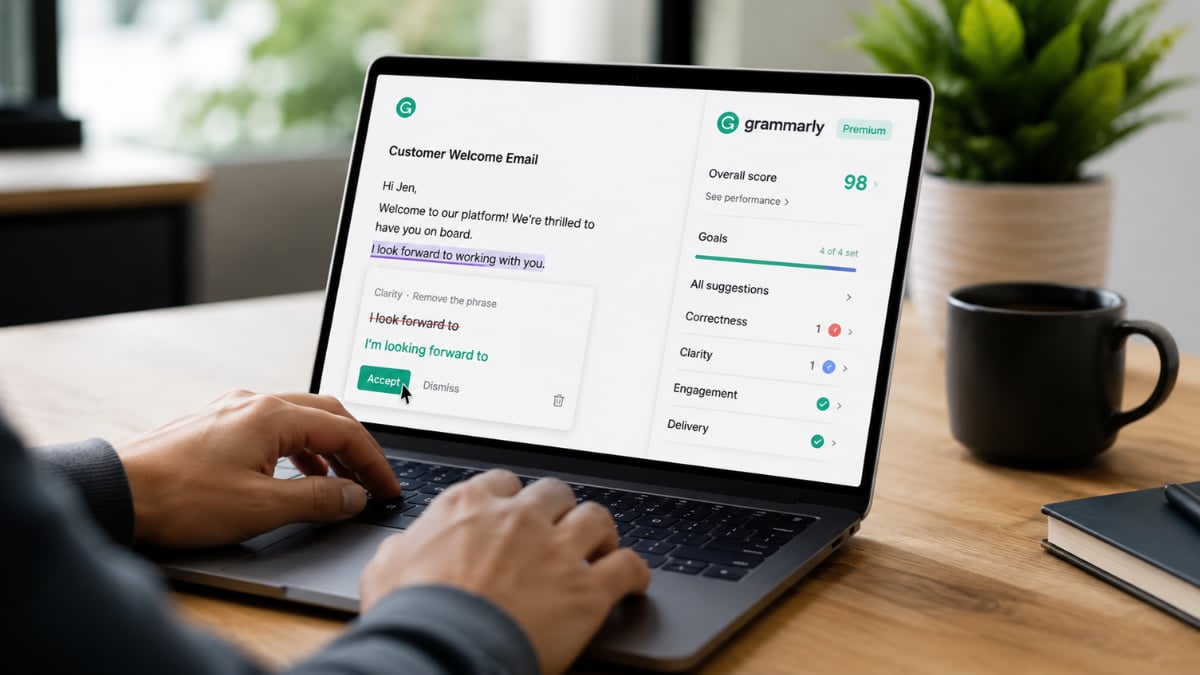
Writing clearly and professionally can make a big difference whether you’re preparing an academic paper, sending an important business email, publishing a blog post, or simply communicating online.
But what exactly does Grammarly Premium offer, and is upgrading from the free version worthwhile? This guide explores its key features, benefits, potential drawbacks, and the types of users who may get the most value from it.
What Is Grammarly Premium?
Grammarly Premium is the paid version of Grammarly’s AI-powered writing assistant. Grammarly can analyze text as you write and provide suggestions intended to improve correctness, readability, clarity, and communication.
While Grammarly’s free tools cover essential writing assistance, the premium offering provides access to additional features and more sophisticated recommendations.
Depending on the Grammarly product and plan currently available, these capabilities can include advanced writing suggestions, tone improvements, vocabulary recommendations, and AI-assisted writing features.
Grammarly works across a range of writing environments, making it useful for people who regularly write emails, documents, articles, reports, assignments, and online content.
Grammarly Premium Features
One of the main reasons people search for Grammarly Premium is to understand what they actually get by upgrading. Here are some of the most useful capabilities associated with Grammarly’s paid writing tools.
1. Advanced Grammar and Writing Suggestions
Basic spelling mistakes are relatively easy to spot. More complicated writing problems can be harder to identify.
Grammarly Premium can provide advanced suggestions involving sentence structure, punctuation, word choice, and other aspects of writing. These recommendations can be particularly useful when polishing professional or academic content.
Instead of simply identifying a potential problem, Grammarly often suggests an alternative, allowing you to decide whether the change improves your sentence.
2. Clarity Improvements
A sentence can be grammatically correct and still be difficult to read.
Grammarly’s clarity suggestions are designed to help make writing more concise and understandable.
The software may identify unnecessarily complicated sentences, awkward constructions, or wording that could be simplified.
This can be especially valuable for:
- Business emails
- Reports and proposals
- Blog articles
- Academic writing
- Website content
- Marketing copy
3. Tone Suggestions
Tone can dramatically affect how a message is interpreted.
A short email might accidentally sound impatient, while a formal report could come across as too casual. Grammarly provides tone-related feedback intended to help writers understand how their words may sound to readers.
Depending on the writing context, you might want your message to sound confident, friendly, professional, persuasive, or neutral.
Tone assistance can therefore be particularly useful for workplace communication and customer-facing content.
4. Vocabulary and Word Choice
Using the same words repeatedly can make otherwise good writing feel monotonous.
Grammarly Premium can offer suggestions for improving word choice and making sentences more effective. This doesn’t mean every suggested synonym should automatically be accepted. Context still matters.
Instead, these recommendations can give writers alternatives they may not have considered.
5. Sentence Rewriting
Sometimes fixing an awkward sentence takes more than changing one word.
Advanced Grammarly features can help users rewrite or restructure sentences to improve readability and flow.
This can save time when editing longer documents, particularly when you know a sentence doesn’t sound right but aren’t sure how to improve it.
6. AI Writing Assistance
Grammarly has expanded beyond traditional grammar checking with generative AI capabilities.
Depending on the product and subscription available to you, Grammarly’s AI tools can assist with tasks such as brainstorming, rewriting, composing text, adjusting tone, and refining existing content.
AI-generated text should still be reviewed carefully. Human judgment remains important for verifying facts, maintaining your personal voice, and ensuring the finished content actually communicates what you intend.
Grammarly Free vs. Premium
A common question is whether Grammarly Premium is better than Grammarly Free.
The answer depends primarily on how much you write.
The free version can be enough for users who mainly want assistance with basic writing correctness. If you’re composing occasional emails, social posts, or short documents, you may not need more advanced features.
Premium becomes more appealing for people who write frequently and want deeper editing assistance.
In general, the difference can be thought of this way:
| Feature | Grammarly Free | Grammarly Premium/Paid Plan |
|---|---|---|
| Basic spelling assistance | Yes | Yes |
| Basic grammar assistance | Yes | Yes |
| Writing suggestions | Basic | More advanced |
| Clarity assistance | Limited/basic | More extensive |
| Tone assistance | Limited | More advanced |
| Vocabulary improvements | Limited | More extensive |
| Advanced rewriting | Limited | Available depending on plan |
| AI writing capabilities | Limited by plan | Higher access depending on plan |
Because Grammarly can change its plans, features, usage limits, and product names over time, it’s worth checking the official Grammarly website for the latest comparison before purchasing.
Who Should Use Grammarly Premium?
Grammarly Premium isn’t equally valuable for everyone. Certain users are more likely to benefit from its advanced writing tools.
Students
Students frequently write essays, research papers, assignments, applications, and emails.
Grammarly can help identify writing issues during the editing process, particularly when reviewing clarity and sentence structure. However, students should always follow their school’s policies regarding AI-assisted writing and plagiarism.
A writing assistant should support learning rather than replace original research and thinking.
Professionals
For professionals, written communication can influence how colleagues and clients perceive a message.
Grammarly Premium may be useful for:
- Emails
- Business proposals
- Presentations
- Reports
- Internal documentation
- Client communication
- Professional profiles
Even experienced writers can miss errors when working quickly, making an additional editing layer useful.
Bloggers and Content Writers
Bloggers, freelance writers, editors, and content marketers can benefit from tools that speed up the editing process.
Grammarly can help identify repetitive wording, awkward sentences, grammatical mistakes, and clarity problems before an article is published.
However, SEO writers should remember that Grammarly is primarily a writing assistant. It does not replace dedicated keyword research, search-intent analysis, or comprehensive SEO tools.
Non-Native English Writers
People who use English as a second or additional language may find advanced grammar and phrasing suggestions especially helpful.
Grammarly can highlight patterns that are difficult to notice independently and provide alternatives that sound more natural in certain contexts.
At the same time, writers shouldn’t feel obligated to accept every recommendation. Language has nuance, and distinctive writing styles don’t always follow automated suggestions perfectly.
Freelancers and Remote Workers
Remote work involves a huge amount of written communication.
Freelancers and distributed teams frequently rely on email, messaging platforms, project-management tools, and documents to communicate. Clearer writing can reduce misunderstandings and make professional communication more efficient.
Benefits of Grammarly Premium
The biggest advantage of Grammarly Premium is convenience.
Instead of manually searching for every potential writing issue, users can receive suggestions while drafting or editing their work.
Other potential benefits include:
- Faster proofreading
- Improved sentence clarity
- More consistent writing
- Better awareness of tone
- Fewer overlooked grammatical mistakes
- Assistance with rewriting difficult sentences
- Useful feedback for frequent writers
Over time, paying attention to recurring Grammarly suggestions may also help users recognize patterns in their own writing.
Potential Drawbacks
No writing assistant is perfect, and Grammarly Premium has limitations.
Suggestions Aren’t Always Correct
Automated recommendations should not be treated as absolute rules.
A suggested edit can occasionally change the intended meaning, remove intentional stylistic choices, or simply sound less natural than the original sentence.
Writers should review every significant change before accepting it.
Premium May Be Unnecessary for Casual Writers
Someone who writes only occasionally may get enough value from Grammarly’s free features.
The paid version generally makes more sense when advanced writing assistance saves enough time or improves enough content to justify the subscription cost.
AI Can’t Replace Subject-Matter Expertise
Grammarly can help improve how information is communicated, but it cannot guarantee that the underlying information is accurate.
Technical, medical, legal, financial, academic, and other specialized writing still requires appropriate expertise and fact-checking.
Is Grammarly Premium Good for SEO Content?
Grammarly Premium can be useful in an SEO workflow, but it shouldn’t be mistaken for a complete SEO platform.
Google and other search engines ultimately need content that satisfies the reader’s intent. Clear, well-structured writing can contribute to a better user experience, and Grammarly can help during the editing stage.
For SEO content, Grammarly is best used alongside:
- Keyword research
- Search-intent analysis
- Competitor research
- Original expertise
- Internal linking
- Accurate sourcing
- Strong headings and page structure
- On-page SEO optimization
The goal shouldn’t be to make every article score perfectly according to an automated writing tool. The goal should be to create useful content that people can easily understand.
How to Get the Most From Grammarly Premium
If you decide to use Grammarly Premium, don’t simply click “accept” on every recommendation.
First, write your initial draft naturally. Then use Grammarly during the editing stage to identify possible problems.
Review each suggestion in context and ask whether it makes the sentence clearer without changing your intended meaning. Pay particular attention to recurring mistakes because those patterns can reveal opportunities to improve your writing skills.
For important content, complete a final human review after using Grammarly. Automated proofreading is helpful, but reading the finished piece yourself remains essential.
Is Grammarly Premium Worth It?
For frequent writers, Grammarly Premium can be a valuable productivity and editing tool.
Professionals, students, bloggers, freelancers, marketers, and people who regularly communicate in English may benefit most from its advanced suggestions. The ability to quickly identify clarity, grammar, tone, and sentence-level issues can make editing considerably more efficient.
For occasional writers, however, Grammarly’s free version may provide enough assistance.
The best approach is to consider how frequently you write, what kind of content you produce, and whether advanced editing features would meaningfully improve your workflow.
Frequently Asked Questions About Grammarly Premium
What is Grammarly Premium?
Grammarly Premium refers to Grammarly’s paid writing-assistance offering, which provides more advanced writing and editing capabilities than its basic free tools. Exact features and plan names can change over time.
Is Grammarly Premium better than the free version?
For frequent writers, the paid version can provide more comprehensive editing assistance. Casual users who mainly need basic spelling and grammar checking may find the free version sufficient.
Can Grammarly Premium improve my writing?
It can help identify potential grammar, clarity, tone, and wording issues. Improving as a writer still requires judgment, practice, and an understanding of why particular changes work.
Is Grammarly Premium useful for students?
Yes, particularly for proofreading and improving clarity. Students should follow their institution’s rules regarding AI-assisted writing and ensure submitted work remains their own.
Can Grammarly Premium be used for professional writing?
Yes. It can be useful for emails, reports, proposals, documents, marketing materials, and other workplace communication.
Does Grammarly Premium help with SEO?
Indirectly. Grammarly can help make content clearer and easier to read, but it isn’t a substitute for keyword research, technical SEO, search-intent research, or an overall SEO strategy.
Should I accept every Grammarly suggestion?
No. Grammarly’s suggestions are recommendations, not mandatory corrections. Always consider context, meaning, audience, and your intended writing style before accepting an edit.
Is Grammarly Premium a Good Choice for Better Writing?
Grammarly Premium can be a powerful addition to a writer’s editing workflow, especially for people who produce written content every day.
Its biggest strength is not simply finding spelling mistakes. The more advanced assistance with clarity, sentence structure, tone, and rewriting can help users polish their work faster and communicate more effectively.
Combine its recommendations with careful proofreading, subject-matter expertise, and your own voice, and it can become a highly useful tool for producing clearer, more professional writing.
Leave a Reply