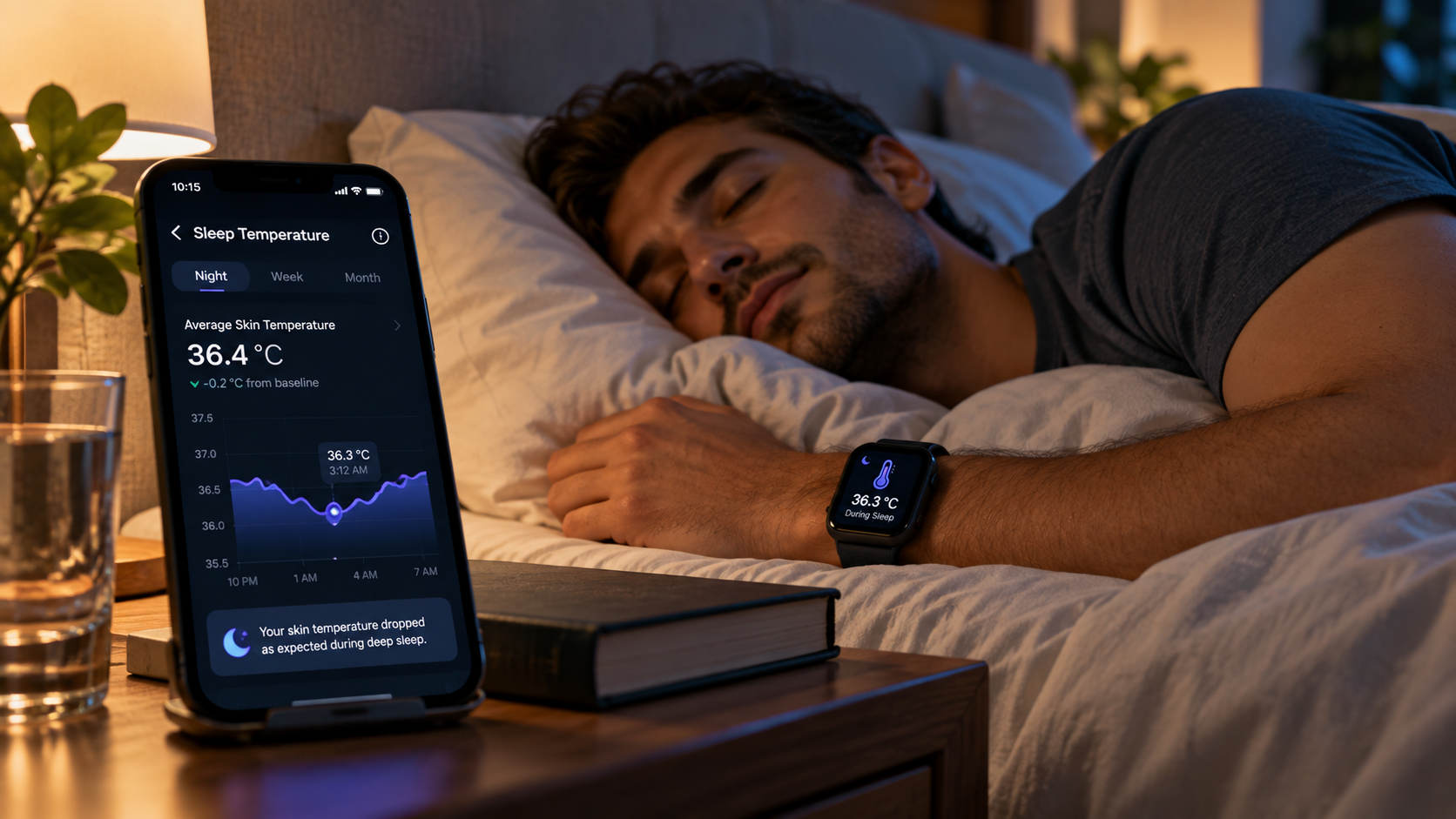
Your temperature changes naturally overnight, and wearable technology can record those shifts while you sleep.
Sleep temperature tracking uses sensors in compatible rings, watches, bands, and other devices to collect temperature-related data and display patterns over time.
The feature can be useful when you want another data point alongside sleep duration, heart rate, movement, and recovery metrics. Yet temperature features differ significantly between devices.
Some report changes from your personal baseline rather than providing a standard thermometer-style body-temperature reading.
Google, for example, states that compatible Fitbit devices can measure sleeping skin-temperature variation against an individual baseline.
Before buying a tracker primarily for temperature monitoring, check what it measures, how long baseline calibration takes, how the information appears in its app, and which features require subscriptions.
How Does Sleep Temperature Tracking Work?
Sleep temperature tracking generally relies on sensors that remain in contact with or close to your skin during the night.
The device collects measurements while you sleep, then software processes those readings into trends, averages, or deviations from your established baseline.
This distinction matters because skin temperature monitoring does not necessarily represent your internal body temperature.
Skin temperature varies with environmental conditions and the body’s temperature-regulation processes. Google specifically notes that skin temperature typically varies to a greater degree than body temperature.
With compatible Fitbit devices, temperature is measured during sleep and compared with a personal baseline. Google says the app needs at least three days of sleep-temperature information before estimating that baseline and can use up to 30 days of data as the baseline adjusts.
That means a single night’s number usually has less context than a pattern collected across multiple nights.
What Can an Overnight Temperature Tracker Tell You?
An overnight temperature tracker can help you identify changes relative to your normal pattern. Depending on the device and software, you may see:
- Nightly temperature variation
- Changes from your personal baseline
- Temperature patterns across several nights
- Related sleep and recovery measurements
- Historical graphs or trends
For instance, Google states that Fitbit Sense 2 logs skin temperature each night and displays how it varies from your personal baseline.
Oura takes a related approach within a broader collection of nighttime signals. Its sleep-stage system uses movement, skin temperature, resting heart rate, heart-rate variability, and respiratory rate when estimating sleep stages.
The data should still be treated as wellness information rather than a diagnosis. Google explicitly states that its vitals information is intended for well-being and should not be relied upon for diagnosing or treating medical conditions.
Skin Temperature Versus Body Temperature
One of the first details to check when researching a device is exactly what the manufacturer means by “temperature.”
| Measurement | What It Represents | Common Use |
|---|---|---|
| Skin temperature | Temperature at the skin’s surface | Tracking overnight variation |
| Baseline variation | Difference from your established normal level | Identifying personal trends |
| Body temperature | Internal temperature measurement | Common thermometer measurement |
A wearable temperature sensor sitting against your wrist or finger may be designed primarily to detect relative changes rather than reproduce the measurement you would receive from a conventional clinical thermometer.
This makes baseline-based readings useful for pattern recognition, while limiting how you should interpret an isolated value.
Why Baseline Temperature Matters
Your normal sleeping temperature pattern is personal. A tracker needs enough information to learn what is typical for you before deviations become especially informative.
Google’s current documentation provides a useful example. Compatible Fitbit devices check skin temperature during sleep, and the Google Health app establishes a baseline after at least three nights. The baseline can subsequently incorporate up to 30 days of information.
For you as a buyer, this means immediate readings are not necessarily the main feature to evaluate. Look at how clearly the app presents long-term changes.
A good interface should make it reasonably easy to answer questions such as:
- Was last night’s reading above or below your baseline?
- Has the change persisted for several nights?
- Can you review previous readings?
- Can you compare temperature with other sleep metrics?
- Can you export or share relevant information?
Temperature Data and Other Sleep Metrics
Temperature becomes easier to interpret when viewed alongside other measurements rather than independently.
A capable sleep health tracker may record several nighttime signals, such as:
- Sleep duration
- Sleep stages
- Resting heart rate
- Heart-rate variability
- Respiratory rate
- Movement
- Blood oxygen estimates on compatible devices
- Skin-temperature variation
Oura, for example, says its sleep-stage calculations incorporate movement, skin temperature, resting heart rate, heart-rate variability, and respiratory rate.
Google lists several Fitbit models that collect sleep and wellness information including sleep scores, heart rate, breathing rate, heart-rate variability, and skin-temperature variation. Exact capabilities depend on the model.
What to Check Before Buying a Temperature-Tracking Wearable
1. Where the Device Is Worn
Smart rings generally collect information from a finger, while watches and fitness bands usually measure at the wrist. Fit and consistent sensor contact can affect data collection.
Google advises that compatible devices should have direct skin contact and fit snugly while remaining comfortable.
2. What Temperature Measurement You Receive
Read the manufacturer’s documentation carefully.
Does the device provide:
- Skin-temperature variation?
- A deviation from your baseline?
- Nightly averages?
- Minute-by-minute information?
- A temperature trend graph?
These outputs are not interchangeable.
3. Baseline Requirements
Some trackers require several nights before temperature information becomes useful. If you frequently remove your wearable before sleeping, a device dependent on overnight baseline measurements may not suit your habits.
4. Sleep Comfort
A technically capable tracker provides limited value if you dislike wearing it overnight.
Think about size, weight, band or ring fit, sensor contact, and charging routine. People sensitive to watches in bed may prefer another wearable format.
5. Battery and Charging Routine
Check the manufacturer’s current battery specifications before purchasing. Battery performance varies by model, settings, feature usage, battery age, and other conditions.
A practical question is whether the tracker can reliably remain powered through your normal sleeping hours.
6. App Experience
Hardware is only part of the purchase.
Check screenshots, official support documentation, and independent demonstrations to see how temperature information is displayed. Look for readable graphs, historical trends, baseline comparisons, and access to related sleep metrics.
7. Subscription Requirements
Some wearables place advanced analysis behind paid memberships.
For example, Oura states that its active membership includes detailed sleep analysis and advanced temperature monitoring, among numerous other features.
Check current subscription terms directly with the manufacturer before calculating your total ownership cost.
Comparing Common Device Formats
Different wearable formats suit different sleeping habits.
| Device Format | Typical Placement | Buying Factor to Check |
|---|---|---|
| Smart ring | Finger | Sizing and overnight comfort |
| Smartwatch | Wrist | Size, battery life, sleep comfort |
| Fitness band | Wrist | Sensor support and app features |
| Specialized sleep wearable | Product dependent | Temperature method and supported metrics |
There is no single format that automatically produces the right experience for everyone. Focus on measurement type, consistent wear, software access, and comfort.
Can Temperature Tracking Detect Illness?
Temperature changes may accompany physiological changes, yet consumer wearable information should not be treated as a diagnosis.
Some platforms combine temperature with other signals when identifying unusual changes. Oura’s Symptom Radar, for instance, monitors biometrics including average temperature, respiratory rate, resting heart rate, heart-rate variability, and inactive time for deviations that may indicate strain on the body.
That description represents Oura’s stated feature behavior rather than proof that a wearable can diagnose a specific illness.
If you have symptoms, persistent temperature changes, or medical concerns, a healthcare professional and appropriate medical testing are better sources of guidance.
Does Temperature Help Explain Sleep Quality?
Temperature data can provide context, especially when combined with other overnight measurements.
Oura states that skin temperature is among the biosignals its algorithms use when estimating sleep stages. However, a temperature change alone does not establish why you slept well or poorly.
Your sleep can be affected by numerous behavioral, environmental, and physiological factors. Temperature information is best viewed as one part of your overall sleep record.
Who May Find Temperature Tracking Useful?
A nighttime temperature tracker may suit you if you:
- Already wear a tracker to bed consistently
- Like reviewing personal trends across several nights
- Want temperature information alongside other sleep metrics
- Prefer baseline comparisons instead of occasional manual measurements
- Are comfortable reviewing data without treating it as medical diagnosis
It may be less useful if you dislike sleeping with wearables, rarely review collected data, or primarily need a clinical body-temperature measurement.
Questions to Ask Before Choosing Your Tracker
Before paying for a device, answer these questions:
Does it actually measure temperature during sleep?
Check the exact model specifications. Features can vary even within the same product family.
Does it show an absolute measurement or baseline variation?
Knowing this prevents incorrect interpretation of the results.
How long does calibration take?
Some platforms need several nights before establishing your personal baseline.
Can you see historical trends?
Long-term patterns are often the main reason to use continuous nighttime tracking.
Does the feature require a paid subscription?
Check the current membership structure and calculate the ongoing cost.
Will you comfortably wear it every night?
Consistent use matters for baseline-dependent tracking.
Finding a Sleep Temperature Tracker That Matches Your Needs
Start by deciding what information you actually want. If your goal is seeing how nighttime skin temperature changes relative to your usual pattern, a compatible wearable can provide convenient ongoing measurements.
Look closely at sensor type, measurement method, baseline requirements, overnight comfort, battery behavior, app presentation, data access, and subscription costs. Avoid choosing a device solely because its marketing mentions temperature.
Most importantly, understand the difference between wellness tracking and medical measurement. Consumer sleep wearables can help you review patterns, while unexplained symptoms or health concerns belong with qualified healthcare professionals.
Leave a Reply