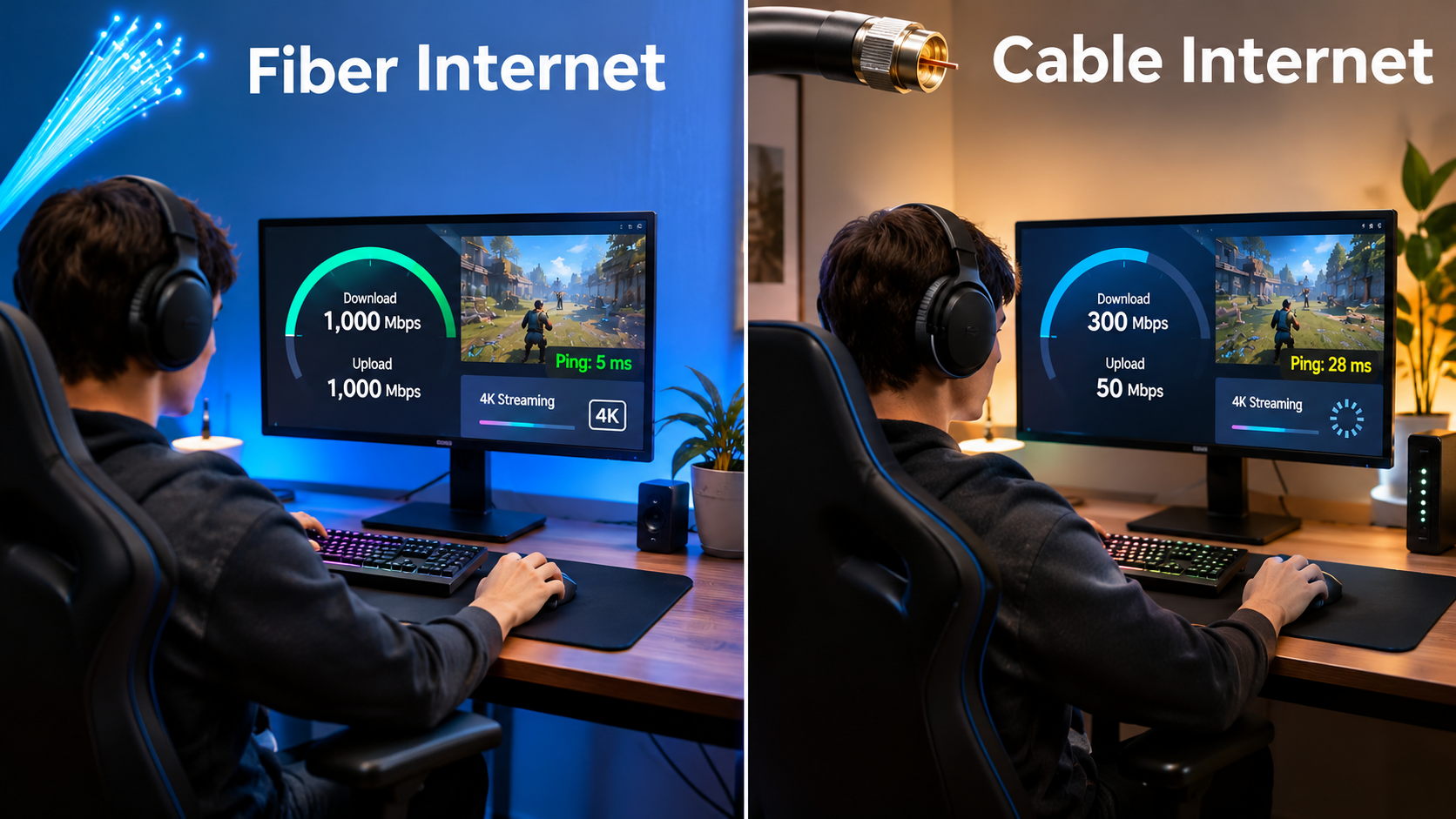
Choosing between Fiber Internet vs Cable Internet can affect your monthly expenses, connection stability, upload speeds, and overall online experience. Both technologies can provide fast home internet, but their performance characteristics, availability, and installation requirements differ.
Fiber internet generally provides faster upload speeds and lower latency, while cable internet is often accessible in areas where fiber networks have not yet been installed.
This guide compares fiber and cable connections, explains their advantages and limitations, and helps you identify which option may suit your household before signing up.
Fiber Internet vs Cable Internet: What Are the Main Differences?
Fiber and cable internet use different technologies to deliver internet access to your home. Understanding how each connection works can help you evaluate performance, pricing, and suitability for everyday activities.
What Is Fiber Internet?
Fiber internet uses fiber-optic cables to transmit information through pulses of light. Fiber-to-the-home (FTTH) connections can deliver high download and upload speeds with relatively low latency.
Many residential fiber services provide symmetrical speeds, meaning your upload and download speeds are similar.
Fiber may be particularly useful for households that frequently upload large files, attend video meetings, stream content, or use several connected devices simultaneously.
However, fiber availability depends on local infrastructure. Some neighborhoods may have limited access, even when nearby areas have fiber coverage.
What Is Cable Internet?
Cable internet typically uses coaxial cables originally installed for cable television services. Many cable networks use a combination of fiber infrastructure and coaxial connections to deliver broadband internet.
Cable services can provide fast download speeds suitable for streaming, browsing, gaming, and working remotely.
However, traditional cable connections generally have slower upload speeds than comparable symmetrical fiber services.
Performance can also vary depending on network congestion, equipment, and the technology used by the provider.
1. Internet Speed: Which Connection Is Faster?
When comparing fiber internet speed with cable internet performance, it helps to examine download and upload speeds separately.
Download speed determines how quickly your connection receives information, while upload speed affects how quickly you send files, participate in video calls, or back up information online.
| Speed factor | Fiber internet | Cable internet |
|---|---|---|
| Download speed | Often hundreds of Mbps to multi-gigabit tiers | Often hundreds of Mbps, with gigabit-class tiers available |
| Upload speed | Frequently symmetrical on FTTH plans | Often lower than download speed, although newer networks can improve this |
| Latency | Generally low | Generally low, though often higher than fiber |
| Speed consistency | Less affected by electrical interference | May vary with network conditions |
| Multi-device usage | Suitable for demanding households | Suitable for many households, depending on the plan |
Actual speeds depend on your subscription, network conditions, router, device capabilities, and provider infrastructure.
For example, a household that mainly streams movies and browses websites may find a 300 Mbps cable connection sufficient. Meanwhile, someone regularly uploading large video files may benefit from a symmetrical fiber plan.
How Much Internet Speed Do You Need?
Your ideal speed depends on how many people use the connection and what they do online.
| Household activity | Practical download speed to evaluate |
|---|---|
| Email and basic browsing | 25–50 Mbps |
| HD streaming and everyday browsing | 50–100 Mbps |
| Several devices and 4K streaming | 100–300 Mbps |
| Larger households with frequent simultaneous use | 300–500 Mbps |
| Heavy downloads and demanding multi-user households | 500 Mbps–1 Gbps or higher |
These are general planning ranges, not guaranteed requirements. For reference, Netflix recommends at least 15 Mbps for one 4K stream. Actual household needs depend on simultaneous activities and connection quality.
2. Fiber vs Cable Internet Reliability: What Should You Expect?
When evaluating fiber vs cable internet reliability, pay attention to network design, congestion, equipment quality, and service interruptions.
Fiber-optic cables are resistant to electromagnetic interference because they transmit information using light rather than electrical signals.
Cable internet uses coaxial connections that are shielded against interference, although damaged cables, connectors, and other network issues can affect performance.
Both technologies can experience outages caused by construction damage, power failures, equipment problems, or provider maintenance.
Which Connection Performs Better During Peak Hours?
Cable networks may experience slower speeds during busy periods when multiple customers share available network capacity.
Fiber networks also share capacity in many deployments, but their architecture and available bandwidth can support strong performance during periods of heavy usage.
Neither technology guarantees uninterrupted service.
Before subscribing, reviewing local customer experiences and provider service terms may help you understand expected reliability in your area.
3. Upload Speeds: Why Fiber May Be Better for Remote Work
One important difference between fiber and cable internet is upload performance.
Symmetrical internet speeds can be particularly useful when your daily activities require sending substantial amounts of information.
Examples include:
- Uploading videos or large design files
- Participating in high-resolution video conferences
- Backing up files to cloud storage
- Sharing documents across remote teams
- Running several video calls simultaneously
For instance, a connection advertised at 500 Mbps download and 20 Mbps upload may handle streaming comfortably but take longer to upload large files than a symmetrical 500 Mbps connection.
However, some newer cable networks support substantially improved upload speeds. Check the actual advertised upload speed rather than assuming all cable plans perform the same way.
4. Gaming and Streaming: Which Internet Type Works Better?
Internet for Gaming
When selecting low latency internet for gaming, pay attention to ping, jitter, packet loss, and connection stability.
Fiber connections often have a latency advantage, although a well-maintained cable network can also provide an excellent gaming experience.
A faster download plan does not automatically produce lower gaming latency.
Other factors include:
- Distance to the game server
- Network congestion
- Wi-Fi interference
- Router performance
- Ethernet versus wireless connectivity
Using a wired Ethernet connection may improve consistency regardless of your internet technology.
Internet for Streaming
Both fiber and cable can support HD and 4K streaming when sufficient bandwidth is available.
For example, a household streaming several 4K videos simultaneously may benefit from a higher-speed plan.
However, streaming performance also depends on the platform, device, Wi-Fi signal, and simultaneous internet activities.
If streaming is your primary concern, a suitable cable plan may perform comparably to fiber for everyday viewing.
5. Fiber Internet vs Cable Internet Cost: Which May Be Cheaper?
Comparing fiber internet cost with cable internet pricing requires looking beyond the advertised monthly rate.
Both technologies are sold across different speed tiers, and prices vary by provider, location, contract conditions, and included equipment.
Illustrative Monthly Internet Budget
The following amounts are hypothetical budgeting examples, not verified market prices or provider quotations.
| Example monthly budget | Annual cost | Two-year cost |
|---|---|---|
| $40 | $480 | $960 |
| $60 | $720 | $1,440 |
| $80 | $960 | $1,920 |
| $100 | $1,200 | $2,400 |
These calculations exclude taxes, installation, equipment rental, and possible promotional price changes.
Additional Charges to Check
Before choosing a plan, review the following:
- Installation and activation fees
- Router or modem rental charges
- Promotional pricing expiration dates
- Contract length and cancellation conditions
- Data allowances or overage charges
- Optional equipment and service fees
A lower introductory price may lead to higher total expenses if the monthly rate increases after the promotional period.
Compare the full cost over your intended subscription period rather than relying only on the first month’s bill.
6. Availability and Installation: What Should You Know?
Fiber internet availability remains an important factor because not every residential address has access to fiber-to-the-home service.
Cable networks have been established in many residential areas for years, making cable internet a practical alternative where fiber infrastructure is unavailable.
Fiber Installation
Fiber installation may require a technician to connect a fiber line to your property, install an optical network terminal, and configure the required equipment.
Some properties already have fiber connections installed, which may simplify activation.
Cable Installation
Cable internet commonly uses an existing coaxial connection.
If the property already has compatible wiring and the service is active at the address, installation may be relatively straightforward.
However, outdated wiring, damaged connections, or missing infrastructure may require technician assistance.
Does Fiber Always Require New Wiring?
No. Homes that already have suitable fiber infrastructure may need little additional installation work.
For properties without fiber access, installation requirements depend on the provider’s network and the building’s existing connections.
7. Which Connection Is Better for Different Households?
Choosing the best internet connection for home depends on your activities, number of users, and monthly budget.
| Your situation | Connection worth evaluating | Reason |
|---|---|---|
| Basic browsing and email | Fiber or cable | Either can provide adequate performance |
| Frequent video meetings | Fiber | Symmetrical upload speeds may help |
| Multiple 4K streams | Fiber or cable | Both can provide sufficient download bandwidth |
| Competitive online gaming | Fiber | Often provides lower latency |
| Large households | Fiber or high-speed cable | Capacity and simultaneous usage matter |
| Limited fiber coverage | Cable | May be easier to obtain |
| Frequent large file uploads | Fiber | Higher upload speeds can reduce transfer times |
| Budget-conscious households | Compare both | Local pricing determines value |
For a household with two or three users who mainly browse, stream, and use social media, cable internet may be sufficient.
For a household with several remote workers, frequent video calls, and regular cloud backups, fiber may provide noticeable benefits.
Fiber Internet vs Cable Internet: Advantages and Limitations
Fiber internet
Advantages: Fast upload speeds, often symmetrical service, generally low latency, and resistance to electromagnetic interference.
Limitations: Address-dependent availability, possible installation work, and pricing that varies by location.
Cable internet
Limitations: Upload speeds may be lower, shared-network congestion can affect performance, and older infrastructure may have technical constraints.
Frequently Asked Questions
Is fiber internet better than cable internet?
Fiber generally has advantages in upload speeds and latency, particularly with symmetrical FTTH service. However, cable may provide comparable everyday streaming and browsing performance when your plan has sufficient bandwidth.
Is cable internet fast enough for 4K streaming?
Yes. Cable internet can support 4K streaming when your connection meets the streaming service’s bandwidth requirements. Multiple simultaneous streams require additional capacity.
Does fiber internet improve Wi-Fi coverage?
Not automatically. Wi-Fi coverage depends primarily on your router, building layout, interference, and device placement. Fiber can improve the connection entering your home without fixing weak wireless coverage.
Is fiber internet worth paying extra for?
It may be worthwhile if you regularly upload large files, work remotely, or need consistent performance across demanding applications. If your internet use is relatively light, paying extra may provide limited practical benefit.
Can cable internet provide gigabit speeds?
Yes. Modern cable networks can deliver gigabit-class download speeds. Actual availability and upload performance depend on the provider’s network upgrades and service tier.
Does fiber internet have data caps?
Some fiber plans have no monthly data cap, but this depends on the provider. Cable plans may also include unlimited data. Always review the specific plan’s terms.
Choose the Right Internet Connection for Your Household
The right connection should support your daily activities at a monthly cost you can comfortably maintain.
Start by checking which technologies are available at your address. Then compare the actual download and upload speeds, standard monthly prices, installation requirements, and contract terms.
If you regularly upload files, attend video conferences, or have several heavy internet users, fiber may be a practical choice. If your household mainly streams, browses, and plays games, a suitable cable connection may meet your needs without paying for unnecessary capacity.
You can check broadband availability at your address using the FCC National Broadband Map before comparing individual providers and their current plans.
The most useful comparison is between the specific services available to you, rather than assuming one technology will always be faster, cheaper, or suitable for every household.
Leave a Reply